
NEW: Apple Watch & Live Activities

Every big day deserves a countdown

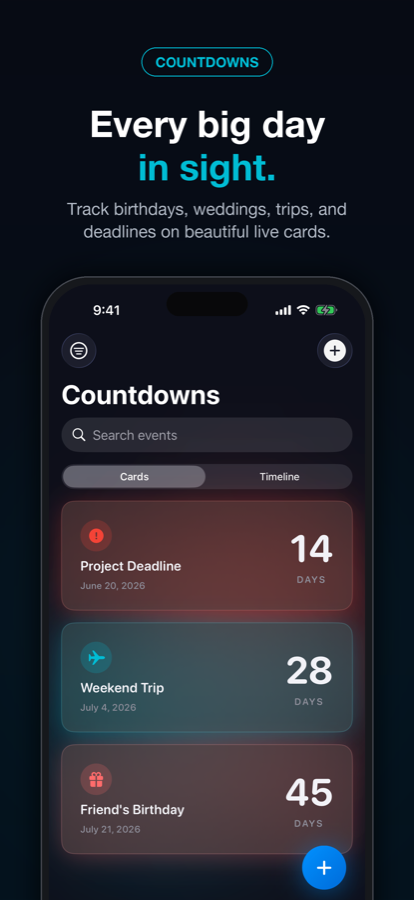
Count the days to birthdays, weddings, vacations, holidays, and deadlines with beautiful countdown cards. Available on iPhone, iPad, Mac, and Apple Watch.

Countdowns
6 Card Styles
4 Platforms
9:41
42
days
until
Summer Vacation
Designed for every screen you own
iPhone iPad Mac Apple Watch

Packed with everything you need

Everything to track life's important moments, beautifully

Countdown Timer

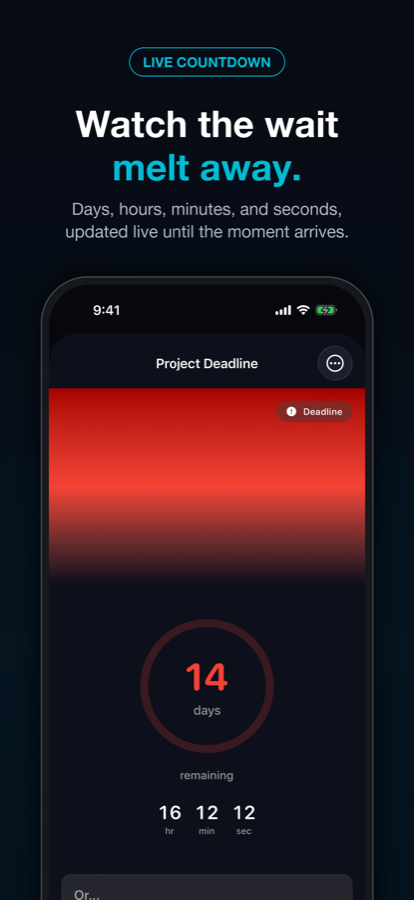
Track days until birthdays, vacations, weddings, graduations, and any special events with live, ticking countdown displays.

Quick Entry

Type a phrase like "dinner next Friday" and Countdowns reads the date for you, or import dates straight from your calendar.

6 Beautiful Styles

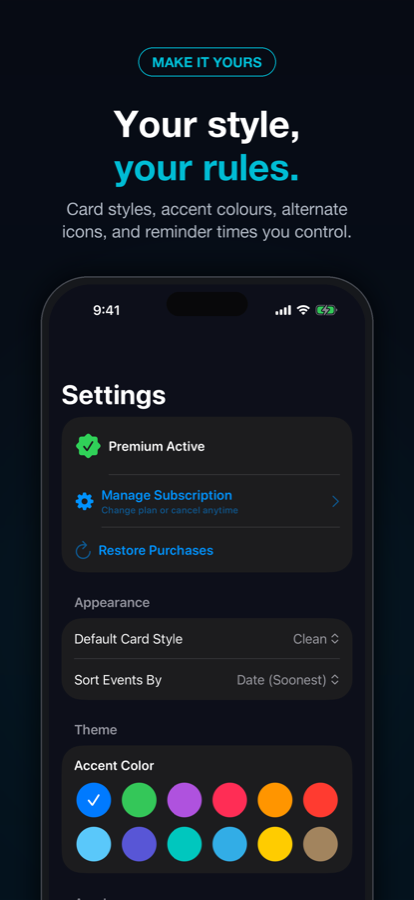
Six stunning visual designs: Clean, Gradient, Bold, Glass, Neon, and 3D. Express yourself with the perfect look.

Widgets Everywhere

Home Screen, Lock Screen, StandBy, and Apple Watch widgets in every size, always showing your next big day.

Live Activities

See real-time countdowns on your Dynamic Island and Lock Screen that update automatically throughout the day.

Apple Watch

Full companion app with complications for every watch face style. See your countdowns at a glance on your wrist.

iCloud Sync

Your events sync seamlessly across iPhone, iPad, Mac, and Apple Watch via CloudKit. Always up to date.

Smart Reminders

Get reminded as your big day approaches. Set custom reminder times for days, weeks, or months before each event.

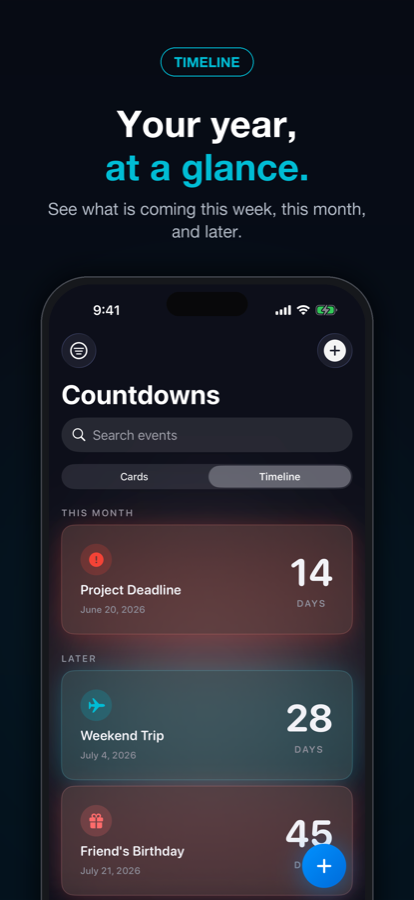
Timeline View

See all your upcoming events laid out on a single timeline so you always know what is coming next.

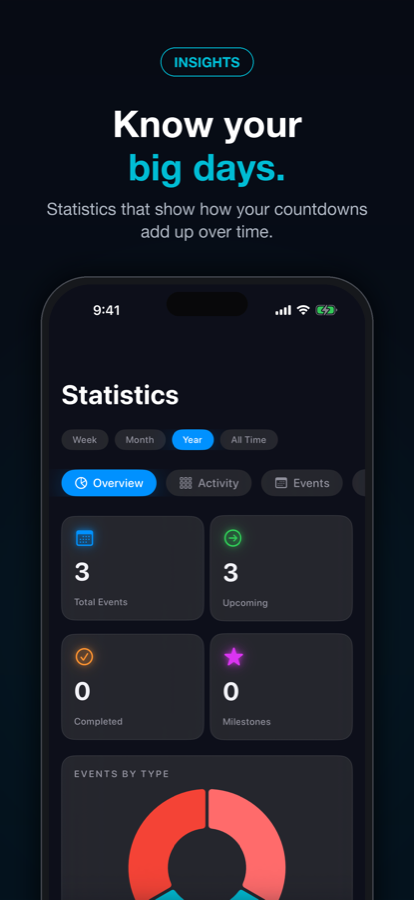
Statistics

Review your events at a glance with built in statistics that show how your countdowns add up over time.

Available everywhere

Your countdowns, on all your Apple devices

iPhone iOS 17+
iPad iPadOS 17+
Mac macOS 14+ (Catalyst)
Apple Watch watchOS 10+

6 stunning card styles

Express yourself with beautiful designs

14

Clean

Minimal elegance

28

Gradient

Smooth colors

7

Bold

Stand out

42

Glass

Glassmorphism

3

Neon

Cyberpunk glow

21

3D

Depth and shadows

Built for every moment

Perfect for tracking life's most important occasions

🎂
Celebrations

Never miss a birthday, anniversary, or special celebration. Set custom reminders and share beautiful countdown cards with loved ones.

Travel & Vacations

Build excitement for your next vacation with Live Activities on your Lock Screen. Watch the countdown in real-time as your trip approaches.

🎯
Goals & Deadlines

Track deadlines, exams, product launches, and career milestones. Stay focused with at-a-glance countdowns on your Home Screen and wrist.

One app, every feature, your choice of plan

Every plan unlocks everything. Pick the billing that suits you.

Monthly

$1.99/mo
7 day free trial, then billed monthly
  • Unlimited countdowns
  • All 6 card styles
  • All widgets and Live Activities
  • Apple Watch app
  • iCloud sync
  • Smart reminders
Start Free Trial

Lifetime

$19.99
one time purchase, no trial
  • Unlimited countdowns
  • All 6 card styles
  • All widgets and Live Activities
  • Apple Watch app
  • iCloud sync
  • All future updates, no recurring fees
Buy Once

Subscriptions renew automatically unless cancelled at least 24 hours before the end of the period. Manage or cancel anytime in your Apple Account settings.

Frequently asked questions

Everything you need to know

Countdowns works on iPhone (iOS 17+), iPad (iPadOS 17+), Mac (macOS 14+ via Catalyst), and Apple Watch (watchOS 10+). iCloud sync keeps everything up to date across all your devices.

Yes! Countdowns works perfectly offline. All your events are stored locally on your device. An internet connection is only needed for iCloud sync and initial App Store download.

Add Countdowns widgets to your Home Screen, Lock Screen, StandBy mode, and Apple Watch. Widgets update automatically and show your next countdown at a glance.

Absolutely. Your data stays on your device and in your personal iCloud account. We don't collect analytics, don't use third-party trackers, and never sell your data. See our Privacy Policy for details.

Yes, anytime. Open your Apple Account settings, tap Subscriptions, and cancel. You keep access until the end of your current billing period. The Lifetime plan is a one time purchase, so there is nothing to cancel.

Open Countdowns, go to Settings, and tap "Restore Purchases." Make sure you're signed in with the same Apple Account you used for the original purchase. Your plan will restore within seconds.

Email us anytime at support@duttlabs.app or visit our Help Center. We typically respond within 24 hours.

Start counting today

Download Countdowns and never miss an important moment again.

Download on the App Store

More from DuttLabs

Discover thoughtfully crafted apps for everyday life

View All Apps →